Vmaster
Mastering right in your browser.
Gets your mix ready for Spotify and the rest. Choose a profile, set the intensity and target loudness, then compare the original and the master at equal loudness. The processing runs in your browser; your song never leaves your device.
- Web
- Beta
- 1Load a songRight in the browser, no upload
- 2Choose a soundProfile, intensity and target loudness
- 3CompareOriginal and master at equal loudness
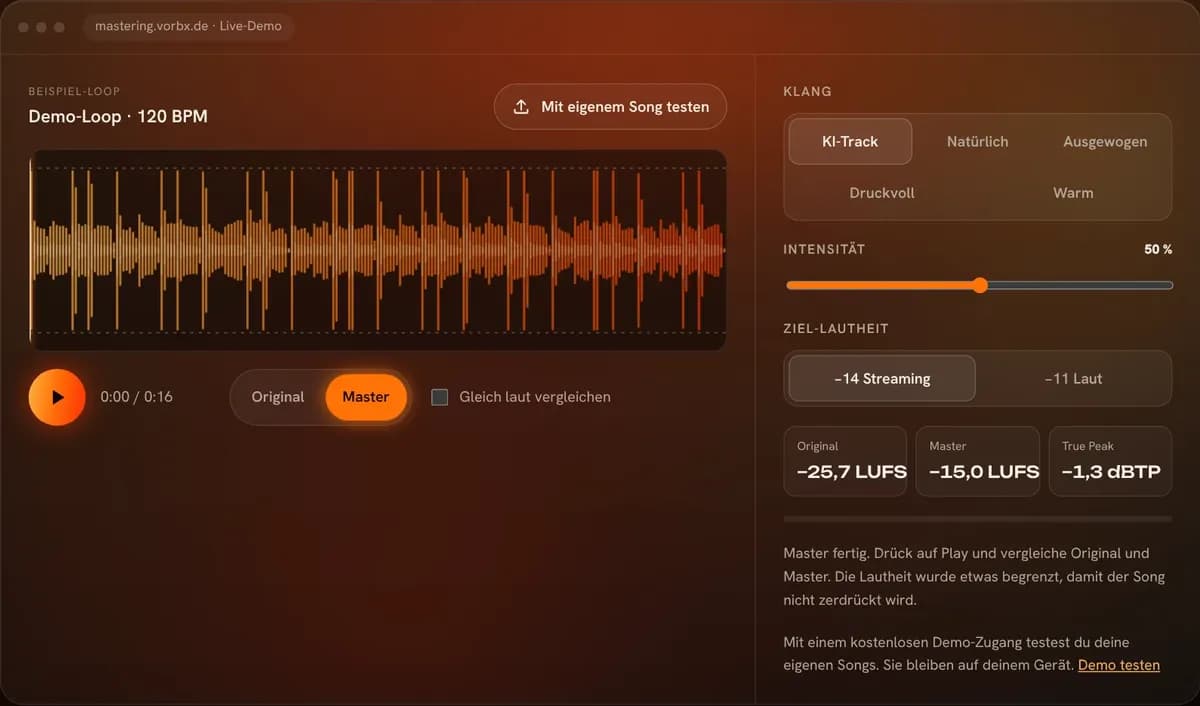
Hear the difference
Press play and switch between the original and the master.
With free demo access you can try your own songs. They stay on your device. Try the demo (German)
What Vmaster does
Five profiles
From AI track to Natural and Balanced through to Punchy and Warm.
Loudness to target
−14 LUFS for streaming or louder, with readings for the original and the master.
True peak limiter
No clipping, not even on a phone.
A/B comparison
Original and master at the same volume, so the louder one does not simply win.
Five sound profiles
You also set the intensity and choose the target loudness: −14 LUFS for streaming or −11 LUFS for loud masters.
- AI trackMore bass, noticeably more open highs and a little more width – for AI-generated songs.
- NaturalHardly any compression, just fine correction. The mix stays as it is.
- BalancedA little more bass and treble, less mud, gently compressed.
- PunchyMore kick and presence, more heavily compressed.
- WarmMore bass, softer highs.
What Vmaster looks like
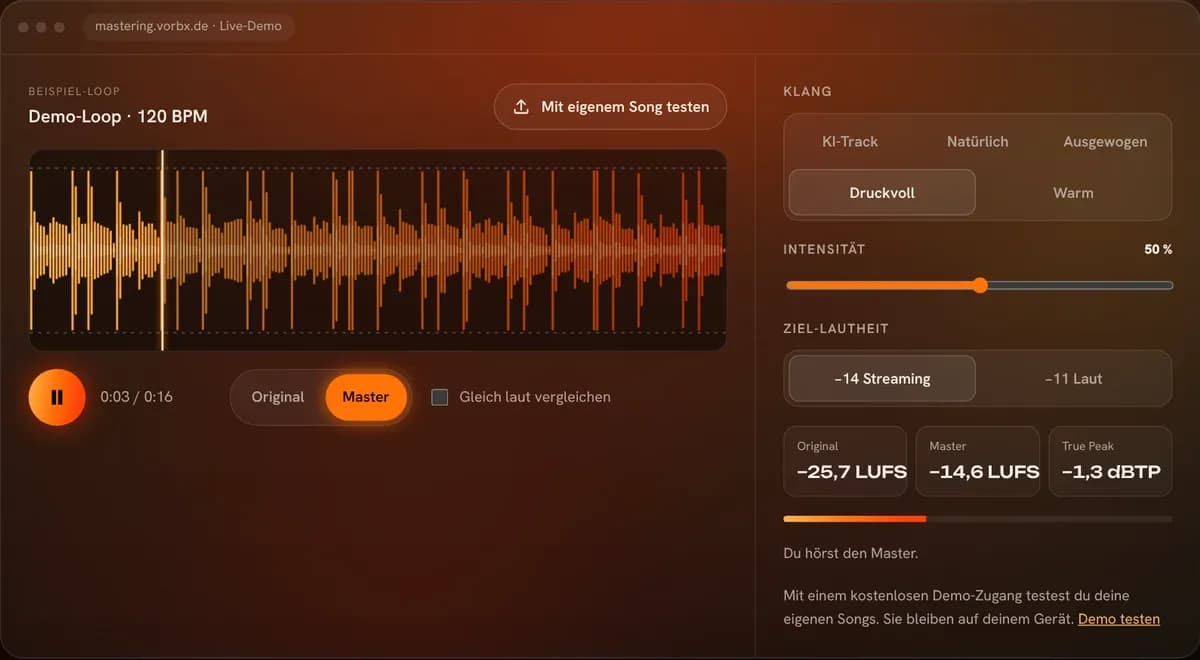
Your song stays on your device
Vmaster does the processing right in your browser. Your music is not uploaded to a server. And no AI sounds are added: Vmaster only processes the audio you load.
Frequently asked questions
Is my song uploaded?
No. Vmaster does the processing right in your browser; your song never leaves your device.
Does Vmaster add AI sounds?
No. Vmaster only processes the sound of your own song: equaliser, dynamics and loudness. Nothing is generated or added.
Which file should I load?
The finished mix before mastering, ideally as WAV, FLAC or AIFF, with some headroom and no limiter on the master bus. MP3 and M4A work too, but lossless files sound better.
Do I need an account?
The demo with the sample song runs without an account. For your own songs you create a free demo account.
How is it different from Vstudio?
Vmaster masters right in the browser. Vstudio is the Windows app for the whole release: mastering, tags, catalogue, release check and upload assistant.
How much does Vmaster cost?
The demo is free. After that there are song packs (5 songs for €3.99, 15 songs for €9.99) or unlimited use for €19.99 a month, all prices incl. VAT. You will soon be able to pay directly in your customer account.
Prices
- Master 5 songs
- One-off payment, no subscription
- Prices incl. VAT
- Master 15 songs
- Only €0.67 per song
- One-off payment, no subscription
- As many songs as you like
- Cancel monthly
- Ideal for labels and prolific producers
Try it with your own songs
With a free demo account you master your own songs in the browser.