Vstudio
From finished mix to finished release.
A song is not finished after the mix: it has to be loud enough, work on every speaker and reach the streaming service with the right details. Vstudio masters your songs, whether recorded in a studio or created with AI, and then guides you through everything a release needs: tags, ISRC, cover, AI disclosures and the upload. You need no prior knowledge. If you want more, the pro controls are behind every step.
- 1Drop in a songWAV, FLAC, AIFF, MP3 or M4A
- 2ListenCompare original and master at equal loudness
- 3MasterWAV and MP3, neatly sorted
Beta testers wanted
Try Vstudio before everyone else and help make it better – everyone who takes part gets a perpetual licence at the end. Terms (German) · Applications until 1 Mar 2027 · 90-day trial from your start
What Vstudio does
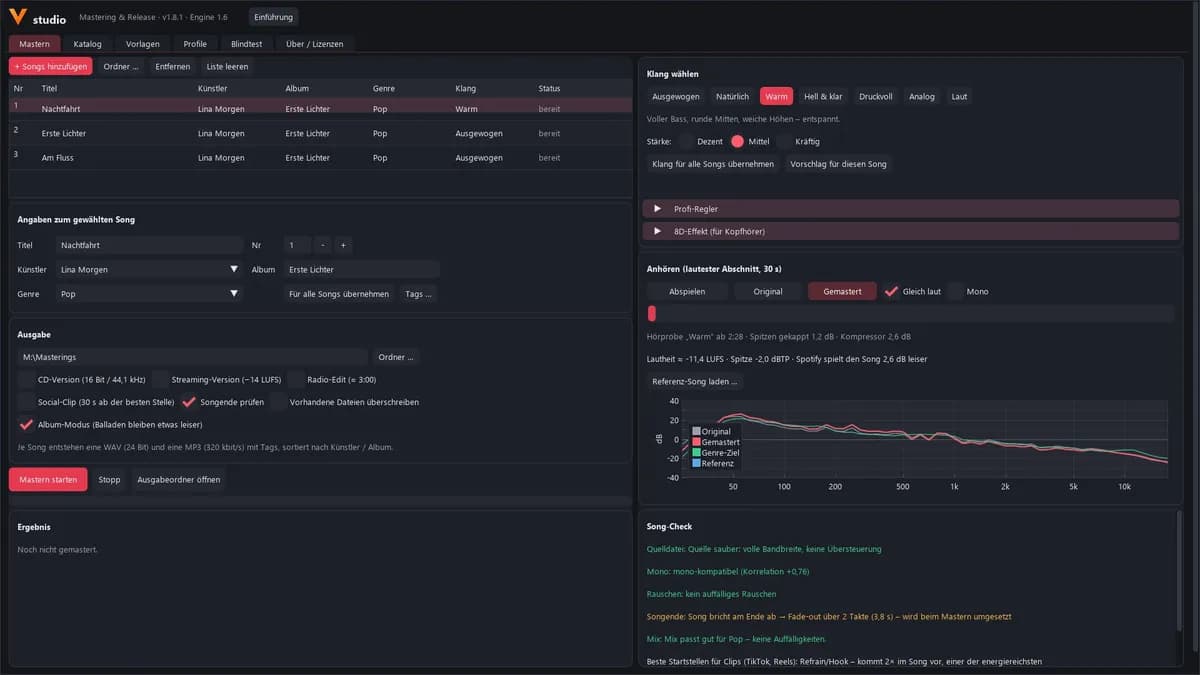
Seven sound styles
Balanced, Natural, Warm, Bright & clear, Punchy, Analogue or Loud, each one subtle, medium or strong.
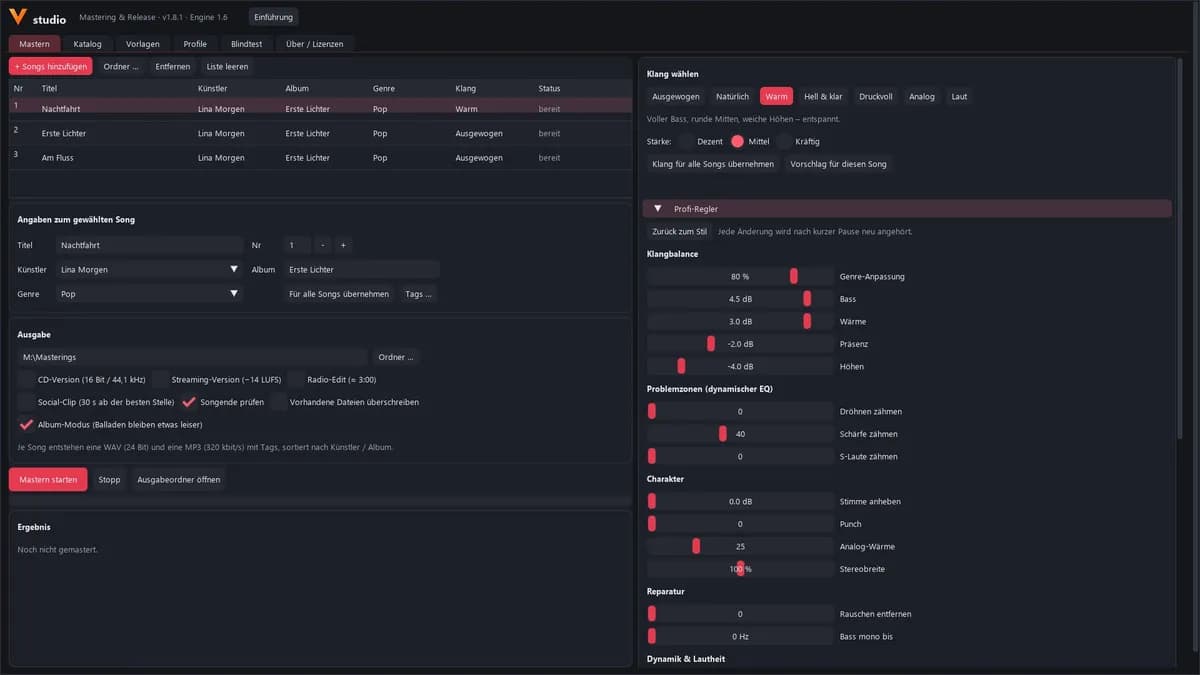
Pro controls
Bass, warmth, presence and treble, controls against boominess, harshness and sibilance, plus punch, analogue warmth and stereo width.
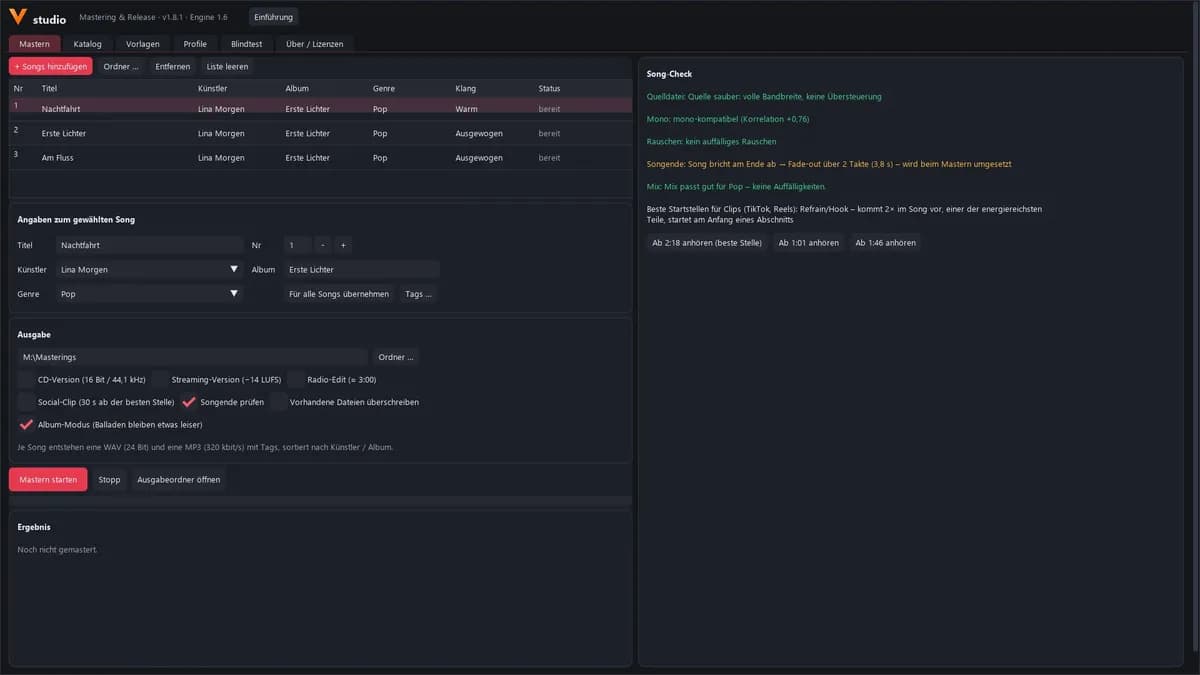
Song check
Checks the source file, mono compatibility and the end of the song, gives tips for your next mix and finds the strongest starting points for clips.
Reference song
Load a favourite song as a reference and compare the tonal curve of your master with it and with the target for your genre.
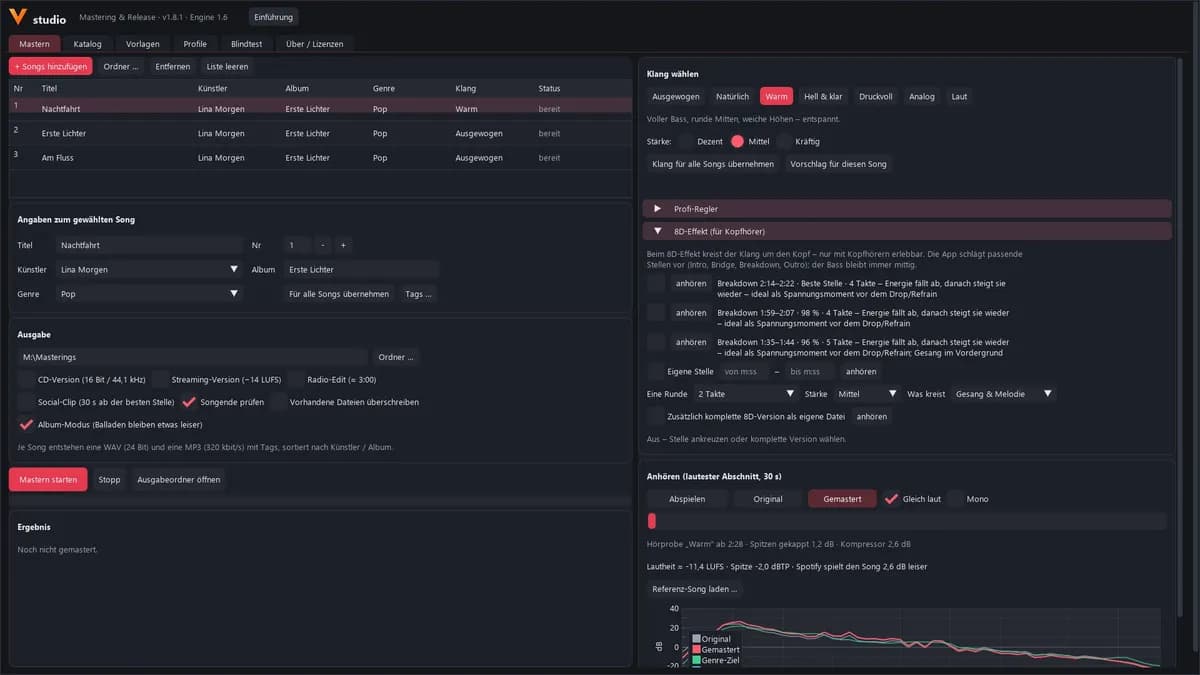
8D effect for headphones
Suggests passages where it fits musically. The bass stays in the centre, and you can create a complete 8D version if you like.
Tags that are right
Title, artist, label, copyright, ISRC, cover and lyrics go straight into the finished files.
Catalogue and release check
Albums, EPs and singles with UPC, ISRC, cover and contributors. One click shows what is still missing before the upload.
AI credits and upload assistant
Records where AI was involved and guides you field by field through your distributor’s upload form.
Blind test
Plays two versions at the same loudness and in random order, so you compare honestly.
From mix to upload
- 01
Check
The song check shows whether the source file is clean, whether the song also works in mono and whether the ending is cut off.
- 02
Master
Choose a sound style and compare with the original at the loudest passage. The masters stay below −2 dBTP; in album mode quiet songs stay a little quieter.
- 03
Release
In the catalogue with tags, ISRC, cover and AI disclosures. The release check shows what is missing, and the upload assistant guides you through the distributor’s form.
Seven sound styles
Each one subtle, medium or strong. If you want precision, open the pro controls.
- Balanced
- Natural
- WarmFull bass, rounded mids, soft highs – relaxed.
- Bright & clear
- Punchy
- Analogue
- Loud
What Vstudio looks like
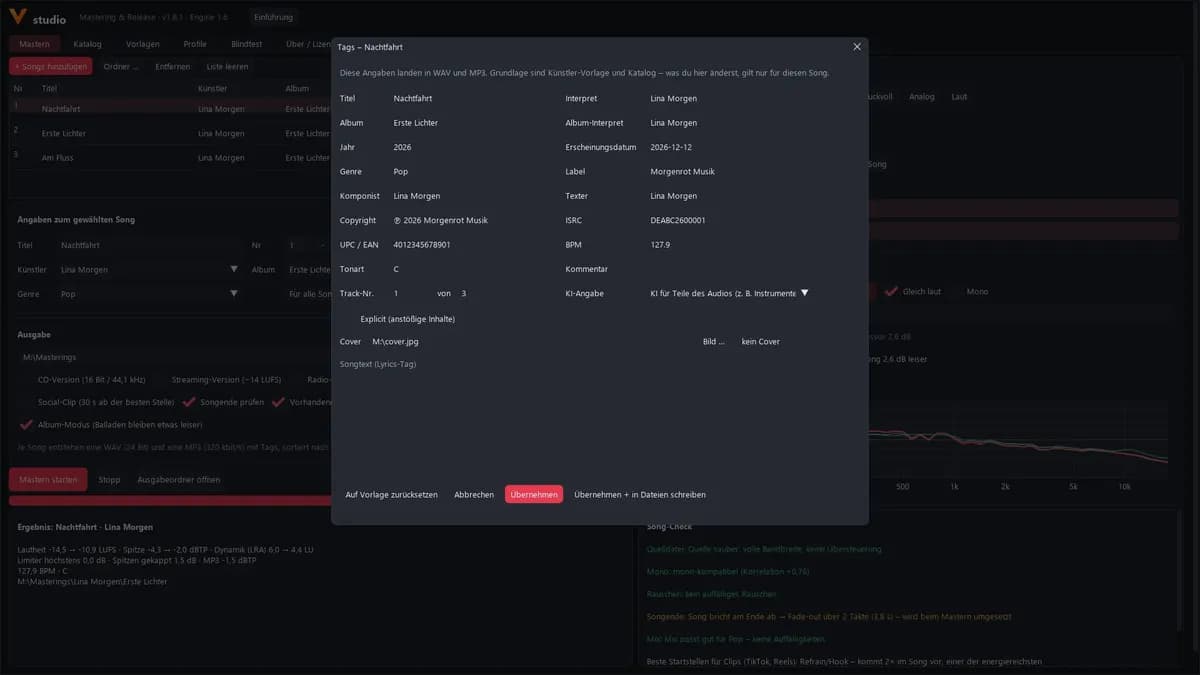
Your songs stay with you
Vstudio runs on your Windows PC, without installation. Your songs never leave the computer, and there is no upload limit. Custom genre profiles store only measurements, no music.
Frequently asked questions
Are my songs uploaded?
No. Vstudio runs on your Windows PC; your songs never leave the computer.
Which files can I load?
WAV, FLAC, AIFF, MP3 and M4A.
What do I get at the end?
For each song a WAV (24-bit) and an MP3 (320 kbit/s) with tags, sorted by artist and album. Optionally also a CD version, a streaming version, a radio edit and a social clip.
How loud are the masters?
About −11.5 LUFS at a maximum of −2 dBTP, freely adjustable. That way they do not clip even after conversion by the streaming service.
Can I try Vstudio first?
Yes, free for 30 days. Download Vstudio, create a free customer account at vorbx.de/konto and request your trial code there. Enter the code in Vstudio under “Lizenz verwalten” (manage licence). There is one trial per computer.
Does Vstudio run on a Mac?
At the moment Vstudio is only available for Windows. For mastering in the browser there is Vmaster.
How is it different from Vmaster?
Vmaster masters right in the browser. Vstudio is the Windows app for the whole release: mastering, tags, catalogue, release check and upload assistant.
At a glance
- System
- Windows, no installation required
- Input
- WAV, FLAC, AIFF, MP3, M4A
- Output
- WAV 24-bit and MP3 320 kbit/s, optionally CD version, streaming version, radio edit, social clip
- Loudness
- about −11.5 LUFS at a maximum of −2 dBTP, freely adjustable
- Data
- everything stays on your computer
Vstudio for Windows
Runs without installation. The trial version is available on request.
Windows shows a warning on first launch – what to do
Vstudio is new, and the installer does not carry a digital signature yet. Windows therefore does not know the file and asks before starting it. This is common with new software and not a sign of a fault.
The three steps in detail
- In the browser: Some browsers report that the file is “not commonly downloaded”. Choose “Keep” there (in Edge via the three dots next to the download).
- When you start the installer: Windows shows “Windows protected your PC”. Click “More info” and then “Run anyway”.
- Allow the installation: Windows asks whether the app may make changes to your device. Confirm with “Yes”. Vstudio is installed under “Programs” and then appears in the Start menu.
Verify the file (for the cautious)
The checksum lets you confirm that the file you downloaded is exactly the one we published.
- Version
- 1.10.1
- File
- Vstudio-Setup-1.10.1.exe
- Size
- 56.2 MB (58,939,045 Bytes)
d863d39e673e8678fa2a1e0e7d5eb08a51f5ab34c0ad379c2b124d49bd8e879d- Right-click the download folder → “Open in Terminal”.
- Enter this command:
Get-FileHash .\Vstudio-Setup-1.10.1.exe -Algorithm SHA256 - The string shown must match the checksum on this page (upper and lower case do not matter). If it does not match, please do not start the file and download it again.
New in version 1.10.1
- Neues Programm-Icon: die Vstudio-Kachel von vorbx.de mit dem V und dem Schriftzug „studio“
- Das Icon wird jetzt auch von Programmen richtig angezeigt, die die bisherige Icon-Datei nicht lesen konnten
Become a beta tester
Try new versions of Vstudio before everyone else, report bugs and tell me what is missing.
Applications until 1 Mar 2027 · 90-day trial from your start
- Free beta licence: 90-day trial from your first activation, followed by 14 days for the final questionnaire
- After that a perpetual licence, provided you send at least 3 pieces of feedback via support and complete the final questionnaire
- Updates for 12 months from the end of your trial